
Digital Checklists
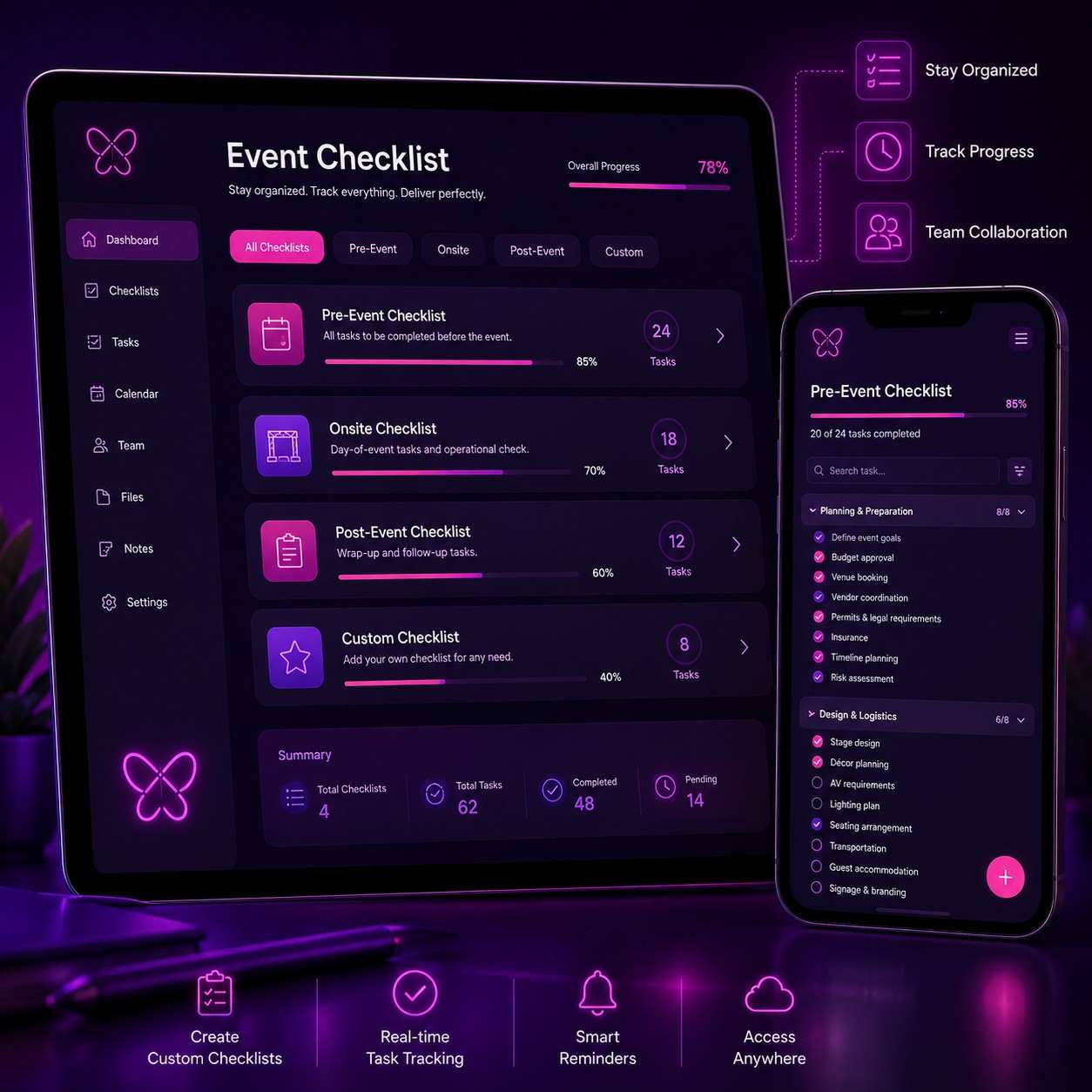
Stay organized from planning to celebration with a Celebration Digital Checklist Manager that helps you track tasks, deadlines, vendors, bookings, payments, and event essentials in one convenient digital checklist for weddings, birthdays, corporate events, festivals, and special occasions.
Explore Planning Tools Experiences



Explore Other Experiences















Explore by Occasion






Celebration Digital Checklist Manager
◆A Celebration Digital Checklist Manager is an online planning tool designed to help individuals, families, event organisers, and professional planners organise tasks, track responsibilities, monitor completion status, and manage important activities for weddings, birthdays, anniversaries, corporate events, festivals, and other special occasions. By bringing planning tasks into one digital workspace, it helps reduce missed deadlines, improve coordination, and make complex celebrations easier to manage.
An Online Task List allows users to create, organise, assign, prioritise, and monitor event-related activities from a central platform. Instead of relying on notebooks, scattered messages, spreadsheets, or multiple reminders, organisers can maintain a structured checklist covering everything from initial planning to event-day execution.
A Planning Tracker helps organisers monitor the progress of major event components such as venue booking, guest management, invitations, catering, décor, entertainment, photography, transportation, accommodation, gifting, and payments.
Completion Status provides a quick overview of pending, in-progress, completed, or overdue tasks. Visual progress indicators can help organisers understand which areas require immediate attention and which planning activities have already been completed.
Wedding Checklists can include tasks for venue selection, wedding planner coordination, guest-list preparation, invitations, vendor booking, décor, catering, bridal and groom arrangements, ceremonies, transportation, accommodation, photography, entertainment, gifting, and post-event activities.
Birthday Party Checklists can help track venue booking, theme selection, invitations, cake orders, decorations, entertainment, food, guest arrangements, return gifts, photography, party supplies, and cleanup.
Anniversary Planning Checklists can include restaurant or venue reservations, décor, gifts, flowers, invitations, photography, entertainment, dining arrangements, and surprise activities.
Engagement Event Checklists can cover venue booking, décor, catering, invitations, jewellery coordination, photography, entertainment, guest management, ceremony requirements, and personalised gifting.
Corporate Event Checklists can include venue selection, attendee registration, invitations, branding, stage setup, audiovisual requirements, catering, speakers, transportation, accommodation, event staffing, security, photography, and post-event reporting.
Festival Event Checklists can help organisers manage permits, venue preparation, décor, entertainment, vendors, food counters, crowd management, security, stage production, logistics, and cleanup.
Housewarming Checklists can include invitations, cleaning, décor, furniture arrangements, catering, religious ceremony requirements, hospitality, return gifts, and event-day coordination.
Baby Celebration Checklists can support naming ceremonies, baby showers, first birthdays, and family gatherings by tracking invitations, décor, catering, photography, gifts, ceremony items, and guest arrangements.
Task Categorisation allows organisers to group activities by planning area. Common categories include Venue, Planning, Décor, Food & Beverages, Entertainment, Photography & Videography, Travel & Transport, Invitations, Gifting, Beauty & Grooming, Religious Ceremonies, Audio & Lighting, Event Support, and Payments.
Task Prioritisation helps users identify urgent and important activities. High-priority tasks can be highlighted so organisers can focus on activities that may affect other parts of the event.
Task Assignment allows responsibilities to be allocated to family members, colleagues, planners, coordinators, or vendors. This creates clearer ownership and reduces confusion about who is responsible for each activity.
Due Date Tracking helps organisers monitor deadlines for bookings, payments, invitations, confirmations, approvals, deliveries, rehearsals, and other time-sensitive activities.
Event Timeline Management allows users to organise tasks according to planning stages, such as early planning, vendor booking, final confirmations, pre-event preparation, event day, and post-event follow-up.
Recurring Tasks can be useful for activities such as regular planning meetings, vendor follow-ups, payment reminders, guest confirmations, and progress reviews.
Vendor Task Tracking allows organisers to maintain separate tasks for each vendor, such as quotation review, booking confirmation, advance payment, contract signing, menu approval, design approval, delivery, setup, and final settlement.
Payment Tracking can help organisers record payment-related tasks and deadlines associated with vendors, venues, service providers, rentals, and event suppliers.
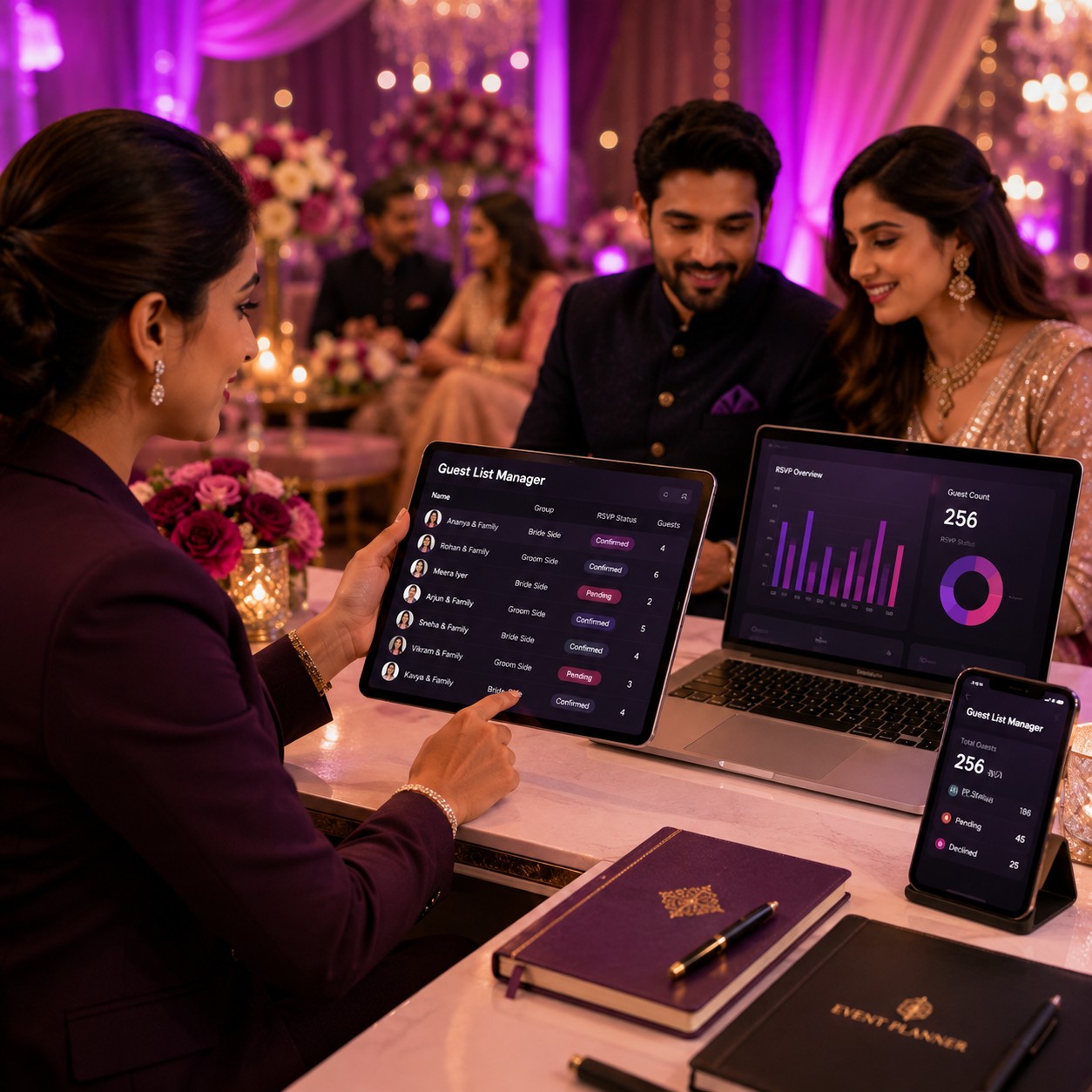
Guest Management Tasks can include invitation preparation, RSVP tracking, guest confirmation, accommodation planning, transportation coordination, seating arrangements, and special requirements.
Invitation Tracking helps users monitor invitation design, approval, printing or digital distribution, delivery, RSVP collection, and follow-up.
Venue Preparation Checklists can cover venue inspection, layout confirmation, seating, stage, décor areas, power supply, parking, guest entry, signage, accessibility, and cleanup arrangements.
Décor Planning Checklists can track theme approval, colour palette, floral arrangements, stage décor, entrance décor, table settings, lighting, photo areas, signage, and installation schedules.
Catering Checklists can include menu selection, tasting, guest count, dietary requirements, service style, food counters, beverages, desserts, cake, staffing, and final confirmation.
Entertainment Checklists can track performers, DJs, musicians, anchors, dancers, rehearsal schedules, performance timings, technical requirements, and payment status.
Photography and Videography Checklists can include photographer selection, shot lists, family photographs, couple portraits, event coverage, equipment requirements, delivery timelines, and album selection.
Travel and Transport Checklists can help coordinate guest pickups, airport transfers, buses, cars, drivers, parking, accommodation, route planning, and event-day transportation.
Beauty and Grooming Checklists can cover makeup appointments, hairstyling, grooming, dressing, jewellery coordination, trials, and preparation schedules.
Religious Ceremony Checklists can track priests, ritual items, puja materials, ceremony timings, invitations, sacred arrangements, and family responsibilities.
Audio and Lighting Checklists can include sound systems, microphones, speakers, LED screens, lighting fixtures, stage requirements, technical rehearsals, power requirements, and show cues.
Special Effects Checklists can help manage requirements for fog, haze, cold sparks, confetti, streamers, snow, artificial rain, projection, and other event effects where applicable.
Event-Day Checklists provide a final operational list for setup, vendor arrival, guest reception, stage readiness, catering, entertainment, photography, security, transportation, payments, and emergency contacts.
Completion Progress Tracking provides a visual indication of overall planning progress. Organisers can use percentage-based progress or completed-task counts to understand how close the event is to readiness.
Pending Task Alerts can help highlight activities that have not been completed by their expected deadlines. This makes it easier to identify potential planning gaps before the event.
Overdue Task Identification allows organisers to quickly locate activities that require immediate action, such as pending bookings, unpaid invoices, missing confirmations, or incomplete vendor requirements.
Notes and Comments can be used to store important instructions, vendor details, meeting outcomes, design references, menu decisions, and other planning information alongside individual tasks.
Document and Reference Management can help users associate relevant files, images, quotations, contracts, invoices, inspiration references, and other planning documents with specific tasks.
Collaboration Features allow multiple people to participate in planning. Family members, planners, coordinators, colleagues, or authorised team members can update tasks and monitor progress according to their responsibilities.
Mobile-Friendly Planning allows organisers to check tasks, update completion status, add notes, and review deadlines while travelling, attending meetings, visiting venues, or managing event-day activities.
Dashboard Views can provide a consolidated overview of total tasks, completed tasks, pending activities, overdue items, upcoming deadlines, and overall event progress.
Calendar Integration can help users view task deadlines alongside important event dates, vendor appointments, rehearsals, payment dates, and meetings.
Reminder Notifications can help users remember upcoming deadlines and important planning activities. Notification options depend on the digital platform being used.
Checklist Templates can simplify planning by providing pre-organised task structures for common occasions such as weddings, birthdays, anniversaries, engagements, corporate events, baby celebrations, housewarmings, and festivals.
Custom Checklists allow users to add their own tasks according to the specific requirements, traditions, budget, theme, guest count, and event format.
Event Size Planning can influence checklist complexity. A small home celebration may require a simple task list, while a large wedding or corporate event may need multiple teams, categories, timelines, and responsibility assignments.
Budget Coordination can connect planning tasks with estimated costs, vendor quotations, payment deadlines, and final expenses, helping organisers maintain better visibility over event spending.
Event-Day Coordination becomes easier when tasks are arranged according to time and responsibility. Coordinators can use checklists to verify that vendors, décor, catering, entertainment, technical systems, guest services, and other components are ready.
Post-Event Checklists can include vendor settlements, equipment returns, venue handover, photography follow-up, album selection, feedback collection, gift distribution, documentation, and expense reconciliation.
Digital Checklists also reduce dependence on physical paperwork. Updates can be made instantly, making them useful for teams managing event planning across different locations.
A Celebration Digital Checklist Manager is particularly valuable for complex events where numerous tasks must be completed by different people at different times. By combining Online Task Lists, Planning Trackers, Completion Status, reminders, assignments, deadlines, and event-specific templates, the tool creates a structured approach to celebration planning.
In conclusion, a Celebration Digital Checklist Manager helps turn complicated event planning into an organised and trackable workflow. From Weddings and Birthdays to Anniversaries, Corporate Events, Festivals, Engagements, and Special Occasions, digital checklists provide greater visibility, accountability, and control throughout the planning journey.
FAQ Section
Q1: What is a Celebration Digital Checklist Manager?
A Celebration Digital Checklist Manager is an online planning tool that helps organisers create tasks, assign responsibilities, track deadlines, monitor completion status, and manage event planning activities from one digital workspace.
Q2: What events can use a digital celebration checklist?
Digital checklists can be used for weddings, birthdays, anniversaries, engagements, corporate events, festivals, baby celebrations, housewarmings, parties, and other special occasions.
Q3: What can be included in an event checklist?
Checklists can include venue booking, guest management, invitations, décor, catering, entertainment, photography, transportation, accommodation, gifting, beauty services, payments, technical production, and event-day tasks.
Q4: Can tasks be assigned to different people?
Yes. Depending on the platform, tasks can be assigned to family members, planners, coordinators, colleagues, or other authorised team members.
Q5: Can completion status be tracked?
Yes. Organisers can typically mark tasks as pending, in progress, completed, or overdue and monitor overall planning progress.
Q6: Can the checklist include deadlines and reminders?
Yes. Due dates and reminder notifications can help organisers track important bookings, payments, confirmations, meetings, rehearsals, and other time-sensitive activities.
Q7: Can I create a customised checklist?
Yes. Custom tasks can be added according to the event type, theme, traditions, guest requirements, budget, responsibilities, and personal planning preferences.
Q8: Can multiple people collaborate on the checklist?
Depending on the platform, multiple authorised users can collaborate by updating tasks, adding notes, assigning responsibilities, and monitoring progress.
Q9: Can digital checklists be used on mobile devices?
Many modern planning tools are designed for mobile-friendly access, allowing organisers to review and update tasks while travelling, meeting vendors, visiting venues, or managing the event.
Q10: How can Happiffie help with Celebration Digital Checklist Manager services?
Happiffie helps event organisers discover digital planning solutions and event professionals that support Online Task Lists, Planning Trackers, Completion Status, reminders, task assignments, vendor coordination, event timelines, and organised planning for Weddings, Birthdays, and Special Occasions.