
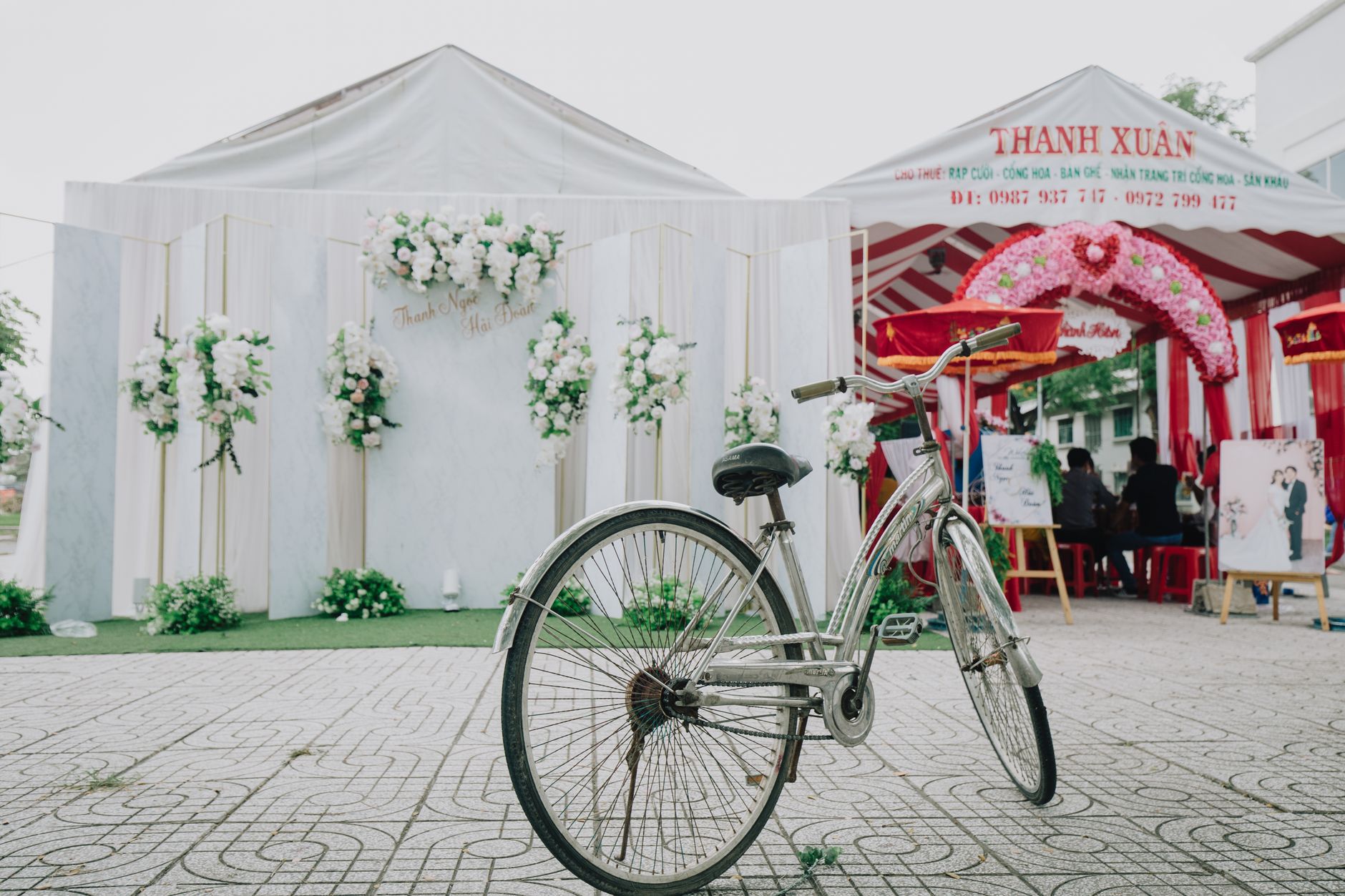
Design Your Dream Booth in 3D
Planning tools in Vijayawada
3D Booth Designer for Vijayawada Weddings & Events
Planning a wedding or corporate event in Vijayawada has never been more visual or stress-free. With Happiffie's 3D Booth Designer, couples and event hosts can build, tweak, and finalise every element of their booth — from floral arches to branded backdrops — without stepping into a single showroom. This interactive booth configurator bridges the gap between imagination and reality, letting you experiment with colour palettes, prop placements, and lighting before any vendor commitment. Whether you are organising a grand Telugu shaadi at a Benz Circle banquet hall or an intimate celebration along the Krishna riverfront, wedding décor visualisation at this level ensures zero last-minute surprises.
Quick Answer
A 3D Booth Designer is a digital planning tool that lets you build a realistic three-dimensional model of your event booth or décor setup before the actual event day. In Vijayawada's growing wedding market, it helps couples, corporates, and event planners preview mandap arrangements, photo-booth backdrops, floral installations, and stage layouts in true scale — saving time, money, and coordination effort.
What Is a 3D Booth Designer and How Does It Work?
A 3D Booth Designer is a web-based or app-based planning tool that renders your booth, stage, or décor zone as a lifelike three-dimensional model. You start by selecting a room template that matches your venue dimensions — say, a 40 x 60 ft hall at a Vijayawada convention centre — and then drag and drop elements like seating arrangements, floral pillars, fabric drapes, and LED walls onto the canvas. The tool calculates proportions in real time, so you instantly see whether a 12-ft backdrop overpowers a small bridal seating nook or complements a high-ceiling banquet space. Most platforms also support 360-degree walk-through views and export-ready PDFs that you can share directly with decorators. This level of wedding décor visualisation removes the guesswork that traditionally caused budget overruns and vendor miscommunications in city celebrations.
Why Vijayawada Couples Are Choosing the Virtual Booth Planner
Vijayawada's wedding scene blends grand Telugu traditions — elaborate naandi ceremonies, multi-day celebrations, and large guest lists of 500 to 1,500 — with a growing taste for contemporary aesthetics. A virtual booth planner helps navigate this complexity by letting families run multiple design scenarios side by side. Want a traditional jasmine-and-marigold mandap and stage setup for Day 1 alongside a sleek, pastel-themed photobooth backdrop design for the sangeet night? You can build both in the same project file and share them with your decorator via a single link. Venues along the Benz Circle stretch, MG Road corridors, and the Krishnaveni Nagar event belt often have irregular floor plans; the virtual booth planner's scale-accurate canvas means your decorator arrives on-site with a precise brief, not a vague mood board.
Key Features That Make This Tool Stand Out
Happiffie's 3D Booth Designer packs several features tailored to Indian wedding contexts. First, its asset library includes locally relevant props — traditional kalasham pillars, banana-leaf motifs, silk-draped mandap frames, and rangoli projection templates — alongside modern elements like neon signs and acrylic name boards. Second, the custom booth layout tool lets you set precise measurements in feet or metres, critical when working with Vijayawada venues that quote space in square feet. Third, real-time lighting simulation shows how a hall will look under warm halogen, cool LED, or stage-wash lighting — a crucial factor for photography and videography planning. Finally, the tool generates a shareable 3D link that decorators, caterers, and photographers can all view on their phones without any additional software download, making event space planning genuinely collaborative.
How Much Does 3D Booth Design Planning Cost in Vijayawada?
Using the 3D Booth Designer on Happiffie is free for basic projects, covering up to three booth configurations with standard asset libraries. Premium tiers, priced from approximately INR 499 to INR 1,999 per event project, unlock unlimited configurations, high-resolution 3D renders, and priority sharing features. This digital planning cost is negligible compared to the actual booth execution budget, which in Vijayawada typically ranges from INR 40,000 for a simple floral photo corner to INR 3,00,000 or more for a fully styled stage with LED backdrop and floral canopy. Investing a few hundred rupees in a virtual booth planner to lock in the design before signing a decorator contract can prevent costly mid-event changes. For corporate events and product launches at city exhibition halls, the interactive booth configurator also helps align branding sign-offs faster, cutting approval cycles by days.
How Do You Get the Best Results from the 3D Booth Designer?
Start by collecting your venue's floor plan — most Vijayawada banquet halls and open-air lawns provide a basic layout on request. Upload it or enter the dimensions manually into the custom booth layout tool so your design sits in a true-to-scale environment. Next, pin down your colour palette and theme before adding elements; changing a dominant colour after placing 40 props costs extra design time. Use the lighting simulation feature during the afternoon since evening events under artificial light look dramatically different from the natural-light preview. Share the 3D link with your photographer early so they can flag any backdrop angles that may create lens flare or poor shadow lines. Finally, lock the design at least three weeks before your event date to give Vijayawada decorators enough sourcing time for specialty flowers or fabric, especially during peak wedding season from November to February.
3D Booth Designer vs Other Planning Approaches for Vijayawada Events
Expert Recommendation
Best for Intimate Celebrations
Best for Grand Telugu Shaadis
Best for Modern Themed Weddings
Best for Budget-Conscious Planners
Best for Corporate Events and Product Launches
Best for Destination-Style Outdoor Events
How to Choose the Right Option
✅ Pre-booking Checklist
- Collect your venue's floor plan or measure the hall dimensions in feet before starting your design
- Confirm your event theme and primary colour palette before placing any props in the 3D Booth Designer
- Add all key zones — entry, stage, seating, catering corner, and photobooth — before refining individual elements
- Use the lighting simulation to preview your booth under the actual lighting type your venue uses
- Share the completed 3D link with your decorator, photographer, and catering team at least three weeks before the event
- Download the PDF version as a backup brief in case your decorator lacks internet access on-site
- Review the design once more after receiving vendor quotes, as budget adjustments often require layout tweaks
- Lock the final design and send a written confirmation to all vendors referencing the shared 3D file
🎯 Selection Criteria
- Asset library relevance — does the tool include South Indian and Telugu wedding-specific décor elements
- Scale accuracy — can you input real venue dimensions in feet for true-to-life proportions
- Shareability — can the design be sent to multiple vendors via a simple link without app installation
- Lighting simulation quality — does the tool show how décor looks under different event lighting presets
- Pricing transparency — are free features sufficient for a one-time event, and is the premium upgrade clearly priced
💰 Cost / Quality Factors
- Venue ceiling height affects backdrop and canopy visibility — always enter height alongside floor area
- Guest count drives layout density; a 500-guest event needs wider aisles than the tool's default spacing suggests
- Peak wedding season in Vijayawada (November to February) means decorator availability is tighter, so finalising your 3D design early is critical
- Material choices (fresh flowers vs. artificial) affect weight and structural requirements that the tool cannot simulate — verify with your decorator
- Outdoor venues near the Krishna river may have wind and humidity considerations that affect fabric and lightweight prop choices
- Photography style (candid vs. portrait) influences backdrop placement and lighting direction, both of which can be previewed in the tool
⚠️ Common Mistakes to Avoid
- Entering incorrect venue dimensions, which makes the entire 3D layout unreliable as a decorator brief
- Finalising the design without sharing it with the photographer, causing backdrop placement conflicts on event day
- Overloading the booth canvas with too many props, which looks cluttered in 3D and even worse in real life
- Ignoring the lighting simulation and discovering unflattering shadow or glare issues only after décor is installed
- Waiting until two weeks before the event to start designing, leaving no time for sourcing specialty items in Vijayawada
- Using a generic design without adjusting for the specific hall shape, resulting in a layout that does not fit the actual venue
People Also Ask
Is a 3D Booth Designer free to use on Happiffie?
Can I use the virtual booth planner without any design experience?
What types of events can the 3D Booth Designer handle?
How do I share my 3D booth design with my decorator in Vijayawada?
Does the tool include Indian wedding décor elements like mandap frames and kalasham pillars?
Can the interactive booth configurator simulate different lighting conditions?
What is the difference between a 3D Booth Designer and a regular mood board?
How early should I start using the 3D Booth Designer for a Vijayawada wedding?
Related Experiences on Happiffie
South Indian Weddings, Udaipur Magic
360 Video Booth — Vijayawada's Favourite
360° Magic for Your Big Day
Dream Resort Weddings in Pondicherry
Find Your Perfect Event Space in Pune
Crystal-Clear Sound for Alappuzha Events
Stunning LED Backdrops in Manali
Frequently Asked Questions
Can I use the 3D Booth Designer for a Telugu wedding ceremony with traditional elements in Vijayawada?
Does the virtual booth planner work for outdoor venues near the Krishna river or Prakasam Barrage in Vijayawada?
How accurate is the 3D Booth Designer's lighting simulation for Vijayawada banquet halls?
What file formats can I export from the custom booth layout tool for my Vijayawada decorator?
Is the interactive booth configurator mobile-friendly for vendors to view in Vijayawada?
How many design revisions can I make in the 3D Booth Designer before finalising?
Can corporate clients in Vijayawada use the 3D Booth Designer for trade fair or product launch booths?
Does using the 3D Booth Designer on Happiffie help me get better quotes from Vijayawada decorators?
Key Takeaways
- The 3D Booth Designer on Happiffie lets Vijayawada couples and event hosts visualise their entire booth or stage setup in accurate three-dimensional scale before any vendor is booked.
- The tool includes an India-specific asset library with Telugu wedding elements like mandap frames, kalasham pillars, and marigold garland props.
- A virtual booth planner reduces mid-event décor surprises and helps prevent budget overruns by locking in design decisions early.
- The interactive booth configurator's lighting simulation is particularly valuable for Vijayawada events where evening photography quality depends on décor and light placement.
- Sharing a 3D design link with decorators, photographers, and caterers replaces vague mood boards with a precise, professional brief.
- Basic access to Happiffie's 3D Booth Designer is free, with premium plans from INR 499 for unlimited configurations and HD exports.
- Start the design process three to four months before your event, especially during Vijayawada's peak wedding season from November to February.
- Always verify the design with your decorator after finalising, as material weight, weather, and structural factors cannot be fully captured in any digital tool.
Design Your Perfect Booth Today
Join thousands of Vijayawada couples and event hosts using Happiffie's 3D Booth Designer to plan with confidence — free to start, no design experience needed.
Start Designing Free
Are you a Vendor? Grow Your Business with Happiffie!
- High intent verified leads
- Reverse auction opportunities
- AI business tools & insights
- Dedicated vendor dashboard
- Grow your business, your way
It's free & takes less than 2 minutes!